Were you really at the limit? Use the grip widget to find out.
What RaceLine's grip widget shows, what grip means to a driver, and what to look for while your onboard video plays.
Every driver comes off track with the same question: "That corner felt fast, but was the car actually at its limit, or was there more in it?" Most of the time the honest answer is "I don't know." Pro teams answer the question with a data engineer and a wall of sensor plots. The grip widget answers it with four color-referenced tire animations.
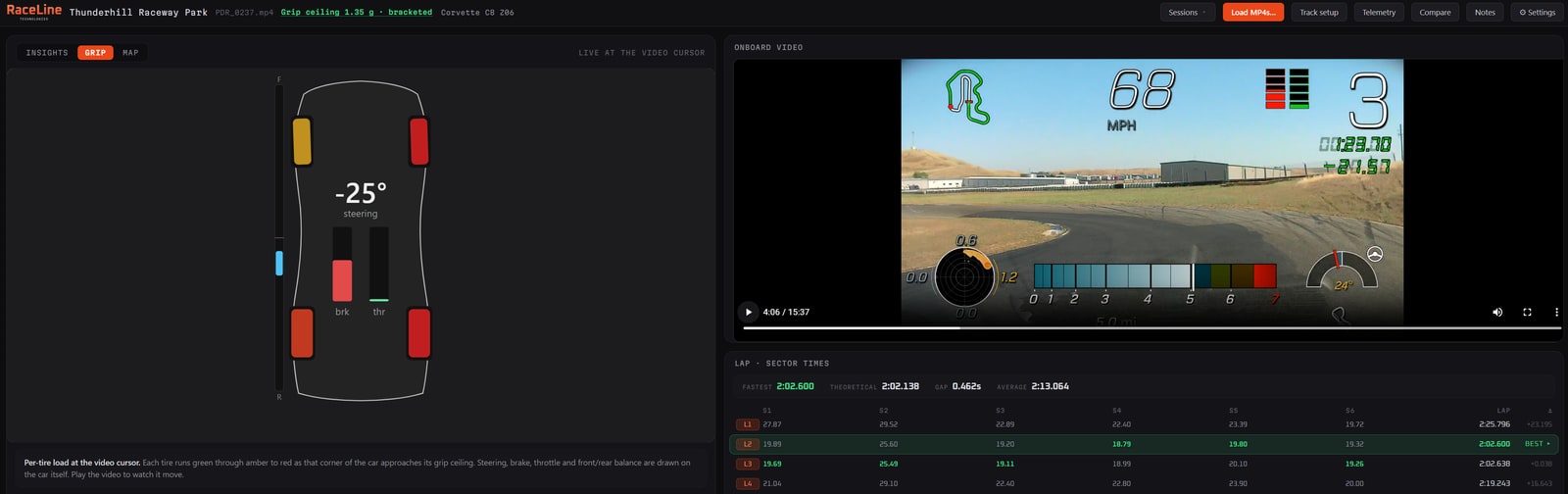
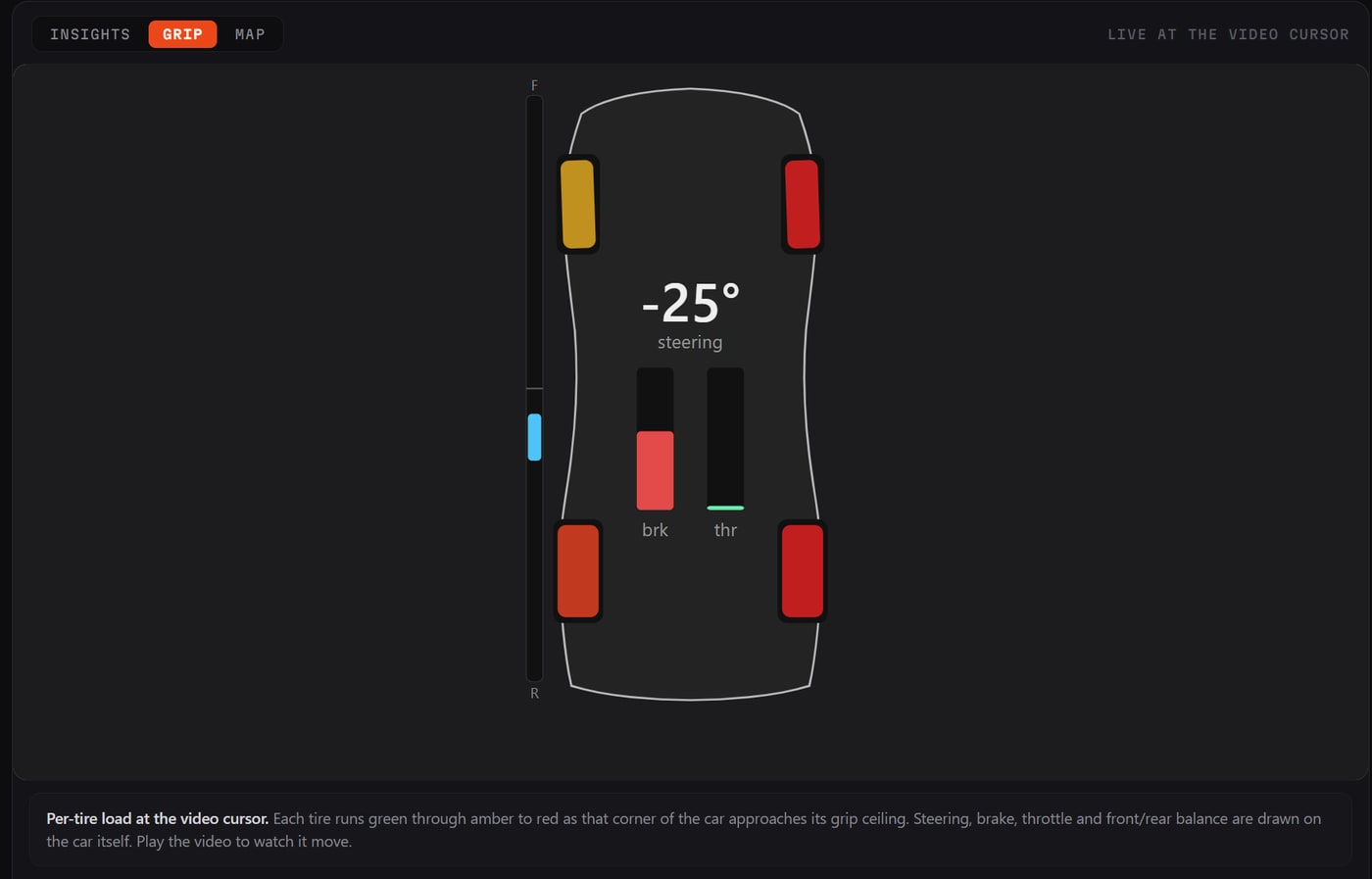
Each of the four tires is colored by how hard the tire is working at that moment: green with grip in reserve, amber as it closes on its ceiling, red at the limit. Around the tires, your inputs are drawn on the car itself: the steering angle, a brake bar, a throttle bar, and a front-to-rear bar showing the car's front-to-rear balance.
So what is "grip"? As drivers we talk about how much grip the vehicle has in a given corner so that we can measure (from what we feel in the car) how much faster we can go, or if we really should have backed off a bit. What we feel is the front or the rear of the car sliding, or we hear the tires starting to complain. When we look at the sensor data, we can see measurements which tell us that grip is available, or exhausted. What is a bit harder to do is to predict when grip is going to fail. This is where we get the benefit of the sensor suite in modern performance cars. We can synthesize a healthy number of data channels to mathematically understand what the car is capable of. Once we have a good read on total grip, we then have to communicate this to the driver, and that's where the grip widget comes in. There's no reading of traces or scales to learn; you can simply watch the widget move as you play, or scrub, through the video.
What to look for
Four patterns cover most of what you'll see.
- All four tires green through the corner. The car had more and you didn't ask for it. This is the most common pattern, and the one with the most time in it.
- Red on entry, green by the apex. You slowed the car more than the corner needed, then coasted through the middle. Classic over-slowing, usually from braking too early or too hard.
- The outside tires red through the middle. You used what the car had. Time in this corner comes from the line, not from more commitment.
- One end goes red before the other. Fronts first is understeer: the car pushing wide, which means you need to carry less entry speed or go for a later turn-in. Rears going red first is oversteer: the car is over-rotating and asking for a smoother throttle or less brake carried into the turn. The front-to-rear bar says the same thing at a glance.
Because your inputs are drawn on the same car, cause and effect sit next to each other. Rears going red while the brake bar is still up and the wheel is turned is a different problem from rears going red as the throttle comes in, and the widget shows you which one you have. The grip widget takes the feeling you had in the car and turns it into something you can see, corner by corner and in sync with the video replay.
One caveat, driver to driver: it's a guide, not a verdict. Tires, temperature and the surface all move the limit around during a session. Use it to find the corners where you consistently have grip left and focus your practice there.
RaceLine is in private beta.
Windows only. Works with the data your car already records.